
When you open a web page and click on buttons, menus, or forms, the part that makes things move and change is usually JavaScript. It is a computer language that runs in your browser and turns a simple page into a live, interactive experience. Without it, many websites would feel flat, slow, or broken.
Search engines, like Google, use special computer programs called crawlers to read pages and decide what they are about. For search engine optimization (SEO), these crawlers must see your content clearly. When a site uses a lot of JavaScript, the content is not always visible right away. This can make it harder for search engines to find, understand, and rank your pages.
This is where JavaScript SEO becomes important. It focuses on helping search engines read JavaScript pages correctly so they can show them to the right people. By learning how JavaScript and SEO work together, you can avoid common problems and make sure your website stays fast, easy to crawl, and simple to index, even if it uses a lot of dynamic content.
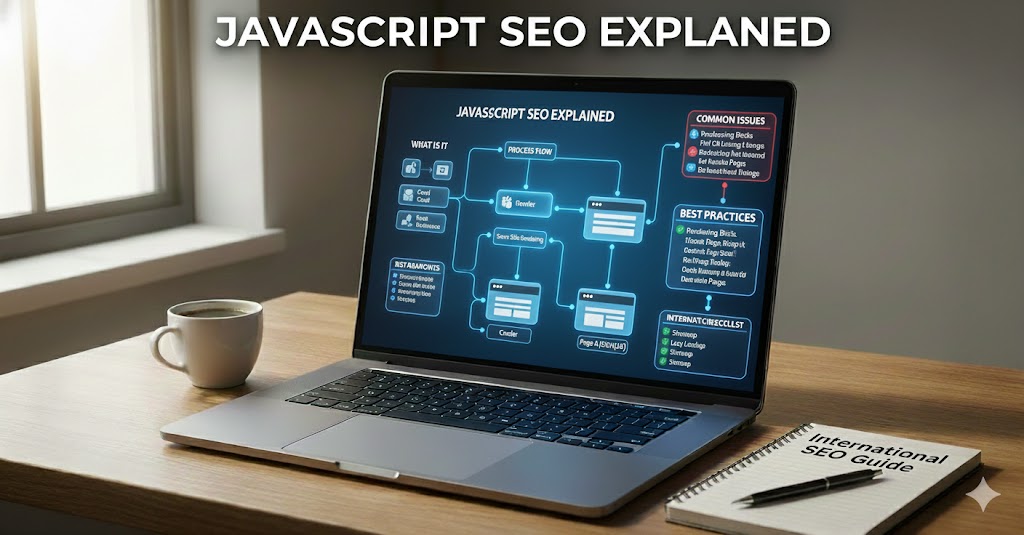
JavaScript SEO Explained
Before diving into the details, it helps to see why JavaScript changes how search engines read your pages. When parts of a site appear only after scripts run, crawlers may not immediately understand what the page is really about.
Imagine building a toy house where some walls only appear after you press a hidden button. People might miss half the house. Search engines face a similar challenge when important parts of a page appear only after JavaScript runs.
JavaScript SEO is about making sure these hidden walls are easy for crawlers to see. It focuses on how pages are built, how content appears, and how links are shared so that search engines can fully read and trust your site.
Rather than changing how search engines work, this practice helps you present content in a crawler‑friendly way. It checks if text, images, and links created by scripts are still clear, fast, and easy to follow. When this is done well, your pages can stay interactive for users while still being simple for bots to crawl and index.
Introduction to JavaScript and SEO
Once you understand the basic idea of JavaScript SEO, the next step is to see how JavaScript and SEO interact day to day. Both shape what appears on the screen and how it is discovered by search engines.
Have you ever clicked a button and watched new text or images appear without the page fully reloading? That smooth change is usually powered by JavaScript, and it can be great for users but tricky for search engines.
In simple terms, SEO is about helping crawlers read your pages so they can show them to the right people. When scripts control what appears on the screen, you must plan carefully so that both humans and bots can access the same important content.
To do this well, it helps to understand how these two worlds connect. JavaScript shapes how content appears, while SEO cares about how that content is delivered, structured, and timed.
- JavaScript changes and loads content after the first page load.
- SEO checks that this content is still visible, linked, and fast.
- Good setups avoid making search engines wait for key text or links.
What Is JavaScript SEO? (JavaScript SEO Explained)
With the link between JavaScript and SEO in mind, it becomes easier to define what JavaScript SEO actually covers. This area focuses on how scripts affect each step of a page’s journey into search results.
Have you ever wondered why some very cool, interactive sites still show up high in search results while others seem to be invisible? The difference often comes from how they handle JavaScript SEO.
In simple terms, JavaScript SEO is the practice of making sure that pages using scripts are still easy for crawlers to read, crawl, and index. It looks at how your code creates or changes content and checks that important text, links, and images are available in a way that bots can process, not only human visitors.
This discipline focuses on how scripts affect the three main steps of search discovery: crawling (finding URLs), rendering (building the page with JavaScript), and indexing (saving the content). When JavaScript delays or hides key information, search engines may miss or misread it, which can reduce visibility even if the page looks perfect to users.
- Good JavaScript SEO keeps core content visible without complex actions.
- Clean internal links help crawlers move between pages easily.
- Lightweight scripts support both fast loading and reliable indexing.
How Search Engines Handle JavaScript Content
Knowing what JavaScript SEO is, the next question is how search engines actually process JavaScript‑heavy pages. Understanding their step‑by‑step workflow explains why timing and structure matter so much.
Have you ever wondered what a crawler “sees” the first moment it reaches a page full of moving parts? Behind the scenes, search engines follow a step‑by‑step process to turn your code into something they can read and store.
First, bots perform crawling: they discover URLs and download the raw HTML, CSS, and JavaScript files. At this stage, only the basic document is understood, so any text that appears only after complex scripts run may not be visible yet.
Next comes rendering, when a special system acts like a simple browser and executes JavaScript. During rendering, the engine builds the final page layout, loads extra data, and exposes dynamically added content such as product lists or comments.
Only after that does indexing happen: the processed content is stored, analyzed, and used for rankings. Because JavaScript is often handled in this later wave, important elements that are slow, blocked, or broken in scripts can be delayed in search results or missed entirely.
Why JavaScript Can Cause SEO Issues
Once you see how crawlers move from crawling to rendering and indexing, it becomes clearer why JavaScript can get in the way. Problems often appear in the gaps between these steps.
Have you ever clicked a page and stared at a blank area while something slowly loaded? That in‑between moment is often where SEO problems begin for sites that rely heavily on scripts.
When important details appear late or only after an action, crawlers may record less information than real visitors see. Over time, this gap can hurt how well your pages appear in search.
Several technical effects make this happen. Each one changes what bots can read, how fast they see it, and how clearly they can follow your site structure.
- Content not visible to crawlers because it is added only after complex client‑side rendering.
- Delayed rendering when heavy scripts slow down how quickly text and images become available.
- Missing links or text if navigation and key copy are built only through JavaScript events.
- Inconsistent HTML output that makes it harder for search engines to trust and index pages correctly.
Common JavaScript SEO Issues Explained
After looking at why problems occur, it helps to pinpoint the patterns that cause them most often. Many JavaScript SEO issues come from how content and links are triggered on the page.
Have you ever clicked a button and only then seen the main information appear? For people, this can feel smooth, but for crawlers it often means that key content arrives too late or not at all. In this part, you will learn the most common ways scripts quietly break visibility, even when pages look fine in a browser.
One frequent problem is content loaded only on user action. If product details, reviews, or article text appear only after clicking tabs, opening accordions, or scrolling far down, bots may never trigger those actions. As a result, important text stays hidden in the rendered code and cannot help rankings or rich snippets.
Another silent issue happens when internal links are hidden inside JavaScript events. When navigation depends on onclick handlers, custom widgets, or script-generated menus, crawlers may miss entire sections of your site. To keep crawl paths clear, each key page should be reachable through standard HTML anchor tags that exist in the source or final rendered HTML.
Technical setups sometimes also include blocked JS files in robots rules, usually done to save crawl budget or protect resources. When critical scripts are blocked, search engines cannot properly render the page and may see only a bare template. Over time, this can lead to thin indexed versions where layout appears but real content or structured data is missing.
Finally, heavy scripts slowing pages cause delays not only for users but also for rendering systems. When JavaScript bundles are large, chained, or loaded from many sources, the browser needs more time before it can paint text and images. Slow execution makes core information appear later and increases the chance that search engines index a partial or outdated snapshot of your content.
JavaScript SEO vs HTML SEO
To put these issues in context, it helps to compare JavaScript‑driven pages with traditional HTML‑first pages. Both can rank well, but they present very different experiences to crawlers.
Think of two books: one printed in clear text and another that only shows full pages after you press hidden buttons. Both may tell the same story, but one is far easier to skim and index. That difference mirrors how crawlers experience plain HTML pages compared with JavaScript‑heavy pages.
With HTML SEO, most content, titles, and links are written directly into the source code. Crawlers can read them in one pass, without waiting for extra steps. This makes structure, internal links, and main text simple to discover, which is why traditional static pages are usually easier to index and less fragile.
By contrast, JavaScript SEO must account for an extra layer: scripts may build menus, insert text, or load data from APIs. Search engines often have to crawl, then render, then index, which adds time and more chances for something to break. When scripts fail, load slowly, or depend on user actions, bots may see only a bare HTML shell instead of the full content.
- HTML‑first pages expose core content and links immediately in the source.
- Script‑driven layouts risk hiding text, images, or navigation behind events.
- Blending both carefully often gives the best mix of speed, clarity, and flexibility.
How to Make JavaScript Websites SEO-Friendly (Beginner Guide)
Understanding the differences between HTML and JavaScript SEO sets the stage for practical steps. Even simple adjustments can make script‑heavy pages far more readable for crawlers.
Have you ever wished your site could stay fun and interactive without confusing search engines? With a few simple habits, you can keep scripts and visibility working together instead of fighting each other.
Start by making sure core content appears without extra clicks. Important text, product details, or article bodies should load as part of the first view, not only after opening tabs or scrolling to the bottom. This helps both users and crawlers see what matters right away.
Next, keep navigation easy to follow. Use normal HTML links so bots can move from page to page without relying on special events. Clear menus, breadcrumbs, and footer links act like road signs, guiding crawlers through your site map.
Finally, focus on speed and light scripts. Avoid loading code you do not need on every page, and remove old or unused files. Faster pages usually mean better crawling and a smoother experience for visitors.
Bringing JavaScript and SEO Together for Better Visibility
All of these ideas lead to one main goal: letting users and crawlers access the same meaningful content without friction. When JavaScript supports, rather than hides, your pages, visibility naturally improves.
Across this guide, you learned that JavaScript SEO is about helping crawlers see the same content that users enjoy. When you understand how crawling, rendering, and indexing work, it becomes easier to spot where scripts might hide or delay important text, links, or images.
The key message is simple: keep core content and navigation easy to reach, no matter how interactive your pages are. By avoiding hidden links, late‑loading text, and blocked files, you reduce risk and make sure search engines can trust what they find. At the same time, paying attention to page speed and script size supports both rankings and user experience.
As websites grow more dynamic, JavaScript SEO becomes a basic part of building search‑friendly sites. If you focus on clear HTML structure first and use JavaScript to enhance rather than replace content, you can enjoy rich, modern experiences without sacrificing visibility. In the end, the most effective setups let users and crawlers read the same story quickly and clearly.