
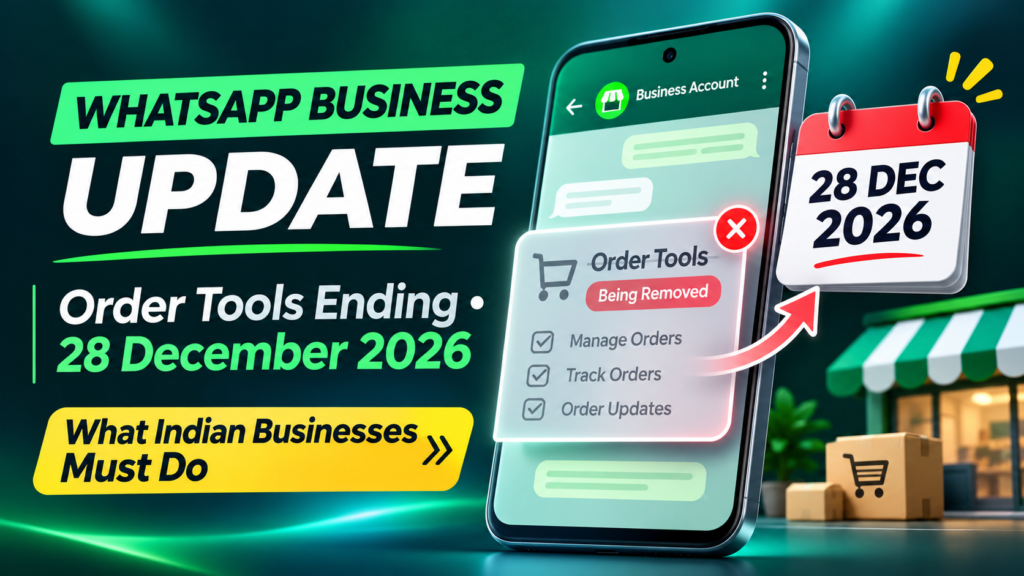
WhatsApp Business is changing how small businesses manage customer orders. Starting 15 November 2026, WhatsApp began removing built-in order management tools from the WhatsApp Business app.
For businesses that use WhatsApp to receive customer orders, manage carts and track deliveries, this change requires attention. Businesses with accepted, active orders when the removal began can continue using the remaining order tools to manage those orders until 28 December 2026. After that, order confirmations and updates need to be handled directly in customer chats.
The important distinction: WhatsApp is not removing its entire shopping experience. Customers can still browse product catalogues and send carts to businesses. What is changing is the built-in order management process.
1. What is changing in WhatsApp Business?
WhatsApp is removing built-in order management features from its WhatsApp Business mobile app. The affected tools include:
- Orders tab: The dedicated order management section in Business Tools.
- Order creation: Creating customer orders, including custom orders and orders from carts or catalogue items.
- Cart actions: Accepting or declining carts using built-in buttons.
- Order status and tracking: Updating order status or adding tracking through built-in actions.
- Direct charges: Creating direct charges through the order tools.
The removal starts on 15 November 2026. If you still have accepted, active orders when removal begins, WhatsApp says you can continue to access the tools to finish managing those orders until 28 December 2026.
2. What WhatsApp Business features will continue working?
This update does not mean that businesses will lose their entire WhatsApp shopping experience. WhatsApp says customers can still browse catalogues and send carts. Businesses can receive carts as messages, confirm details in chat, coordinate payment where available and share delivery updates in chat.
| Feature | Status |
|---|---|
| Business profile | Remains available |
| Product catalogue and collections | Remain available |
| Customers browsing products and sending carts | Remain available |
| Receiving carts as messages | Remains available |
| Built-in Orders tab and order creation | Being removed |
| Built-in cart acceptance, order status and tracking actions | Being removed |
| Direct charges through order tools | Being removed |
3. Which Indian businesses will be most affected?
Retail and clothing businesses
Clothing stores, boutiques, footwear shops and local retailers often use WhatsApp to share catalogues and receive orders. They should prepare a separate system to record customer orders, sizes, quantities, prices and delivery information.
Home-based businesses
Home bakers, handmade product sellers and small entrepreneurs often manage orders directly through WhatsApp. A simple order-tracking spreadsheet can help prevent missed orders.
Beauty and wellness businesses
Salons, beauty clinics and wellness businesses may use WhatsApp for enquiries, product orders and appointment coordination. They should create a clear process for recording bookings, customer requirements and payment status.
Food and grocery businesses
Local grocery stores, restaurants and food sellers may receive regular customer carts through WhatsApp. They should establish a consistent process for confirming product availability, quantities, payment and delivery.
E-commerce businesses
Businesses that use WhatsApp alongside their online stores should consider connecting customer enquiries to their existing e-commerce and order management systems. This can reduce manual work and improve order tracking. If you run an online store, explore our e-commerce SEO services and e-commerce SEO case study for related guidance.
4. What should businesses do before 28 December 2026?
Step 1: Save existing order information
Review accepted, active orders and keep a copy of the information you need before the remaining order tools become unavailable. Record customer name and contact details, products, quantities, order value, payment status, delivery address and tracking information.
Step 2: Create a new order confirmation process
Customers can still send carts through WhatsApp. Confirm the order details directly in the chat. Use a consistent message that includes the product, quantity, total amount, delivery address, payment method and a request for customer confirmation.
Step 3: Use an external order tracking system
Businesses should maintain order records outside WhatsApp. A small business may use Google Sheets or Excel. Growing businesses may prefer a CRM, inventory tool or dedicated order management software. E-commerce businesses can use their existing Shopify or WooCommerce order records. If you need a dedicated online store, see our WordPress website development service.
| Business requirement | Possible solution |
|---|---|
| Very small order volume | Google Sheets or Excel |
| Growing customer enquiries | CRM with order tracking |
| Retail inventory and fulfilment | Inventory and order management software |
| Online store orders | Shopify or WooCommerce |
| High-volume operations | Integrated CRM and order management system |
Step 4: Set up payment alternatives
If your business relied on the built-in direct charge feature, prepare another way to collect payments. Indian businesses can consider UPI, payment links, website checkout, existing payment gateway integrations or bank transfers. Share payment details clearly and verify payment before marking an order as paid.
Step 5: Train your customer support team
Make sure everyone who handles WhatsApp enquiries knows how to confirm carts, verify product availability, share the final order value, confirm payment, record orders and send delivery updates. A shared process helps prevent confusion and missed orders.
Step 6: Inform your customers
You do not need to stop accepting orders. Explain that orders will now be confirmed directly through chat. For example:
Important update for our customers
You can continue browsing our product catalogue and placing orders through WhatsApp. We will confirm your order details, payment and delivery updates directly through chat. Thank you for your continued support!
5. Should businesses move to WhatsApp Business Platform?
Not every business needs the WhatsApp Business Platform or API. The right choice depends on how many customer conversations and orders the business handles.
| Requirement | WhatsApp Business app | WhatsApp Business Platform |
|---|---|---|
| Basic customer conversations | Suitable | Suitable |
| Small business operations | Suitable | Suitable |
| Advanced automation | More limited | Supports integrations |
| CRM integration | Depends on available integrations | Supports integrations |
| Multiple-agent operations | More limited | Can support connected systems |
Businesses with a small number of orders can continue using the WhatsApp Business app with a spreadsheet or simple CRM. Businesses managing larger order volumes may benefit from the WhatsApp Business Platform, CRM integration and automated workflows.
Important: The announcement discussed here concerns the WhatsApp Business app. The official help page does not say that the same change applies to the WhatsApp Business Platform or Cloud API. Check the documentation for your particular setup before changing it.
6. How digital marketing agencies can help businesses prepare
This update creates an opportunity for digital marketing agencies and technology service providers to help businesses improve their sales processes. Agencies can support businesses with:
- WhatsApp Business setup and optimisation.
- Catalogue management.
- CRM implementation and lead management automation.
- Payment gateway integration and e-commerce website development.
- Website and e-commerce development.
- Customer support workflow setup.
- WhatsApp Business Platform integration where appropriate.
A more organised customer journey could look like this: customer discovers a product, opens WhatsApp, sends an enquiry or cart, the business confirms the order, the customer pays, the order is recorded in a CRM or store system, and a delivery update is sent.
7. Frequently asked questions
Is WhatsApp Business shutting down its shopping features?
No. WhatsApp is removing built-in order management tools from the WhatsApp Business app. Product catalogues, collections and customer carts remain available.
When did WhatsApp start removing order tools?
The removal started on 15 November 2026.
What is the last date to manage existing accepted orders?
Businesses with accepted, active orders when the removal began can continue managing those orders using the available tools until 28 December 2026.
Can customers still send product carts?
Yes. Customers can continue browsing business catalogues and sending carts through WhatsApp.
Will my WhatsApp Business catalogue be deleted?
No. The announced change does not remove the catalogue, collections or business profile.
Does this update affect WhatsApp Business API?
The announcement concerns the WhatsApp Business app. The official help page does not state that the same change applies to the WhatsApp Business Platform or Cloud API.
Do small businesses need a CRM?
Not necessarily. A small business with a limited number of orders can use a spreadsheet. A CRM or dedicated order management system becomes more useful as order volumes and team size increase.
What should I do first?
Save your existing accepted, active order records, create a new order confirmation process and choose an external system for tracking orders before 28 December 2026.
Final thoughts
WhatsApp Business is changing its built-in order management experience, but businesses do not need to stop selling through WhatsApp. Product catalogues and customer carts remain available. What businesses need to replace is the internal process for creating and managing orders.
Indian retailers, home-based sellers, service providers and e-commerce businesses should use this transition to improve their order tracking, payment collection and customer communication processes.
Our recommendation: Do not depend on WhatsApp chats as your only order database. Maintain customer and order records in a separate system so your business can continue operating smoothly when platform features change.
Official references
- WhatsApp Help Center: About order tools changes on the WhatsApp Business app
- WhatsApp Help Center: About shopping on WhatsApp
- WhatsApp Business: Business app features
Editorial note: Dates and feature details in this article are based on WhatsApp’s Help Center guidance available on 23 November 2026. Feature availability can vary by account and app version; check the official Help Center for the latest instructions.