
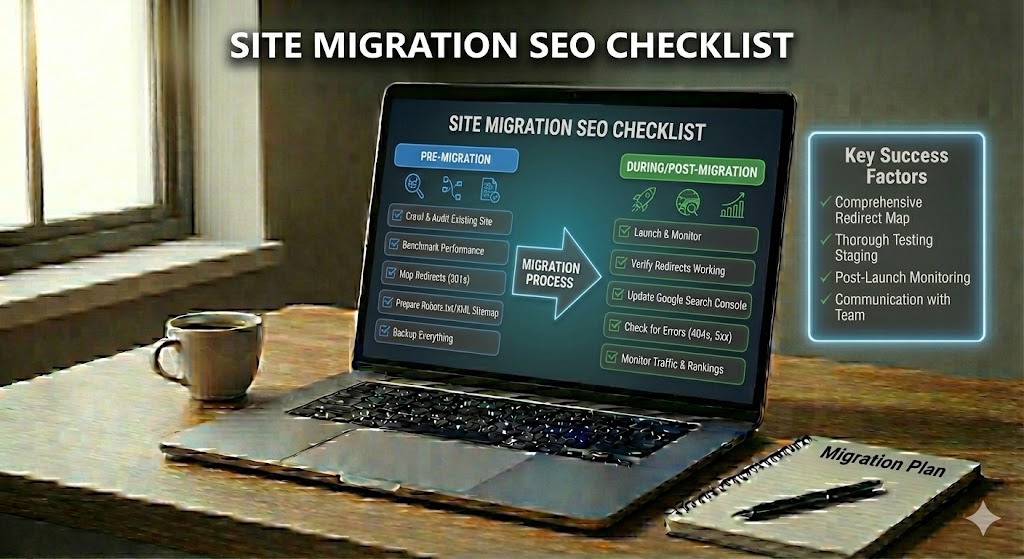
When you move a website, you are doing a site migration. This can mean changing your domain name, design, platform, or how your URLs look. Even if the site appears nicer to visitors, search engines like Google still need to relearn and understand your new setup.
Without a clear plan, a migration can cause big SEO problems. Pages might lose rankings, traffic can drop, and some content may stop showing in search results. In simple terms, you can lose visitors and sales just because search engines cannot find or match your old pages to the new ones.
This is why a careful Site Migration SEO Checklist is so important. With the right steps, you can keep your current power in search, protect your best pages, and help crawlers follow your new structure. This introduction guides beginners through each step so a website can move safely, with less risk of lost rankings and lost traffic.
Site Migration SEO Checklist
Before diving into specific types of migrations, it helps to see the overall path. Think of this section as your high-level roadmap that keeps every stage connected and prevents important tasks from slipping through the cracks.
Use the following practical steps to guide your project from first plan to final checks, so search engines can follow every change without confusion.
- List every important URL on the old site before any change.
- Create a clear redirect map from each old page to its new home.
- Test redirects in a staging area before going live.
- Keep content, titles, and headings as close as possible to the old version at launch.
- Update internal links so they point to new URLs, not redirected ones.
- Refresh XML sitemaps and remove outdated paths after launch.
- Check index coverage and crawl errors daily for the first weeks.
What Is a Website Migration?
Understanding what actually counts as a migration makes it easier to judge risk and plan the right level of effort. Before looking at specific migration types, it helps to define the overall concept.
Imagine changing your shop’s location while trying to keep every customer, sign, and product in the right place. A website migration is the online version of that move, where your site changes in a major way but needs to stay visible in search.
In simple terms, a migration happens when you make big structural or technical changes that affect how pages are found, loaded, or understood by search engines. These changes go beyond small edits; they can alter how every URL, template, or file is served.
Most moves fall into a few clear groups. You might switch to a new domain name, change your URL paths, move to another platform or CMS, add full HTTPS security, or launch a brand‑new design. Often, several of these shifts happen together, which increases the risk for your organic traffic if they are not planned well.
From an SEO view, any change that modifies how crawlers reach, read, or index your content counts as a migration. Because of this, even a “simple” redesign can become a full migration project when layouts, code, and links all change at once.
Types of Website Migrations
Once you know what a migration is, the next step is to recognize the different ways it can show up in real projects. Each type touches different parts of your site and carries its own set of SEO risks.
Not every move changes everything. Some switches only touch how your address looks, while others rebuild the whole “house” your site lives in. Understanding each main type helps you guess the SEO impact and plan the right protections.
Below are the most common migration types that affect how search engines see and trust your pages. Many real projects combine two or more of these, which makes a solid Site Migration SEO Checklist even more important.
A domain change happens when your main web address changes, for example from example-old.com to example-new.com. This move risks losing link equity if 301 redirects are missing or broken, and search engines must build trust in the new host name over time.
With a URL structure change, paths like /products/item-1 might become /shop/item-1. Even though the domain stays the same, every updated path needs a clean redirect to avoid 404 errors and wasted crawl budget.
A platform or CMS change replaces the system that powers your pages. Template code, navigation, and how content is served can all shift, which often changes HTML structure, internal links, and even how fast pages load.
During an HTTPS migration, you move from http:// to secure https://. Search engines expect consistent security, so all old HTTP URLs must 301 to HTTPS, mixed-content issues must be fixed, and canonical tags should point only to the secure versions.
Finally, a full design redesign changes layouts, menus, and sometimes copy. While the domain and paths may stay, large layout changes can impact Core Web Vitals, user behavior, and how clearly crawlers can understand page structure.
Risks of Website Migration for SEO
Knowing the types of migrations sets the stage for assessing what is at stake. Before planning your move, it is vital to understand where SEO value can leak away if details are missed.
Several things can go wrong when you “move” a site that search engines already know well. If key steps are skipped, even a beautiful new build can quietly lose the power it earned over years.
The main dangers affect how often you appear in search and how many people still find you. Below are core SEO risks you must watch closely during any move.
- Traffic loss when old URLs do not redirect, so visitors and bots hit 404 pages instead of the right content.
- Ranking drops because link equity is split between old and new URLs, or important pages become harder to crawl.
- Indexing issues if robots.txt, meta robots, or noindex tags accidentally block large sections of the new site.
- Content mismatches where changed copy, headings, or intent make search engines see a “new” page instead of the trusted old one.
- Crawl waste from long redirect chains and duplicated paths, slowing how fast new pages are fully understood.
Pre-Migration Site Migration SEO Checklist
Good migrations begin long before anything goes live. The actions you take in this phase build the foundation that protects your rankings when changes finally roll out.
Before any files move or designs change, your future search visibility is decided quietly in the background. Careful setup now means fewer surprises and less panic after launch.
A strong pre-migration plan protects your data, your best pages, and your current rankings. Use this short checklist to prepare the ground so the new version can go live safely.
1. Backup the existing site
Create a full backup of your current files and database. Store at least one copy on a different server so you can quickly roll back if something breaks.
2. Crawl and export current URLs
Run a full crawl to capture every live page, status code, title tag, and meta description. Save this export; it becomes your master list for checks after launch.
3. Map old URLs to new URLs
Build a simple table with columns for old URL and new URL. Aim for one-to-one matches so each important page gets a clear new home instead of a generic catch‑all.
4. Benchmark traffic and rankings
Record current organic sessions, conversions, and top keywords by URL. These benchmarks show what “normal” looks like and help you spot real problems, not just short-term noise, after the switch.
Redirect Planning and Site Migration SEO Checklist
Once preparation is complete, attention shifts to guiding both users and crawlers from old pages to new ones. This is where precise redirect planning preserves the authority your site has already earned.
Have you ever tried to visit a favorite page and landed on a dead end instead? That broken path is exactly what smart redirect planning is designed to prevent during a move.
In this step, you create a clear path from every old address to its new home, so both people and crawlers reach the right content. Careful work here keeps your link equity and reduces sharp traffic drops.
First, decide on your main rules for 301 redirects. Use permanent 301s (not 302s) from old URLs to the single best matching new page, avoiding redirect chains like /old → /older → /new. Keep patterns simple and consistent, especially for large sites.
- Redirect one old URL to one best new URL wherever possible.
- Send removed pages to the closest relevant category, not always the homepage.
- Avoid loops and chains by testing rules in staging.
Next, build a redirect spreadsheet that becomes part of your Site Migration SEO Checklist. Include columns for old URL, new URL, redirect type, and test status. After launch, crawl the site again to confirm that high-value pages return 200 status codes and that old addresses correctly send users to the updated content.
On-Page and Technical Site Migration SEO Checklist After Launch
When the new site goes live, the focus moves from planning to verification. Early checks in this phase help make sure search engines interpret your changes the way you intended.
Ever wondered what really happens the first hours after you press “go live”? This is when search engines start testing your new setup, and small errors can quickly turn into lost visits and sales.
Use this part of your Site Migration SEO Checklist to guide checks right after launch. The goal is to confirm that pages still say the right things, send the right signals, and load correctly for both users and crawlers.
Start with key on-page elements. Spot-check important pages to confirm title tags, meta descriptions, H1 headings, and main text still match the old intent and main keywords. Then verify internal links in menus, footers, and key content now point directly to final URLs, not through extra redirects.
Move on to core technical SEO. Test that robots.txt does not block live sections, that XML sitemaps only list new 200 URLs, and that HTTPS is forced with no mixed-content problems. Finally, run a focused crawl to catch 404s, redirect loops, and slow pages before search engines lock in fresh rankings.
Post-Migration Monitoring Checklist and Common SEO Mistakes
After initial launch checks are complete, ongoing monitoring becomes your safety net. This stage confirms that search engines are adjusting smoothly and that any issues are corrected quickly.
What happens after the “big switch” is pressed matters just as much as the launch itself. In this phase, you are watching how search engines react, catching early warnings, and fixing issues before they turn into long-term damage.
Use the following post-migration monitoring steps to track health over the first days and weeks, then review the common mistakes so you know what to avoid next time.
Begin with ongoing performance tracking. Check organic sessions, impressions, and clicks at least weekly, breaking them down by key landing pages that were migrated. Compare these trends to your pre-migration benchmarks to spot unusual drops rather than normal short-term volatility.
Right after launch, keep a close eye on technical signals. Review crawl error reports for spikes in 404s, 5xx errors, and soft 404s, and repair problems by tightening redirects or restoring missing content. Refresh XML sitemaps whenever major fixes are made so crawlers discover corrected URLs quickly.
Once critical errors are stable, move to index coverage and ranking checks. Confirm important pages are being indexed under their new URLs, not the old versions, and that canonical tags consistently point to final destinations. Track a small set of priority keywords so you can see whether visibility is stabilizing, improving, or continuing to decline.
Avoiding frequent blunders will save significant time and lost traffic. Beginners often fall into the traps below, even when the rest of the plan looks strong on paper.
- Forgetting to remove noindex tags from staging or development templates before launch.
- Leaving robots.txt blocks in place that hide entire sections of the new site.
- Relying on temporary 302s instead of permanent 301 redirects for old URLs.
- Sending all removed pages to the homepage instead of a close topical match.
- Changing content and design at the same time as URL structure, making diagnosis harder.
- Ignoring internal links that still point to outdated paths or long redirect chains.
- Stopping monitoring too early, before rankings and traffic have clearly stabilized.
Keeping Your SEO Strength During Every Website Move
Bringing all of these steps together turns a risky transition into a controlled process. Instead of hoping for the best, you deliberately manage how search engines experience every stage of the move.
A successful site migration is not about avoiding all change; it is about controlling how search engines discover, understand, and replace your old pages with the new version. By treating each phase—planning, redirects, on-page work, technical checks, and post-launch monitoring—as one connected process, you turn a risky event into a managed project.
The core message of this Site Migration SEO Checklist is simple: do not leave your rankings and traffic to chance. Clear URL mapping, clean 301 redirects, stable content, and careful tracking of indexing, crawling, and user signals help search engines transfer your existing trust instead of starting over.
When you move slowly, test often, and fix issues early, you reduce sharp drops and make recovery faster if setbacks appear. With this structured approach, a migration becomes a planned upgrade that protects past SEO gains while preparing your site for stronger performance in the future.