
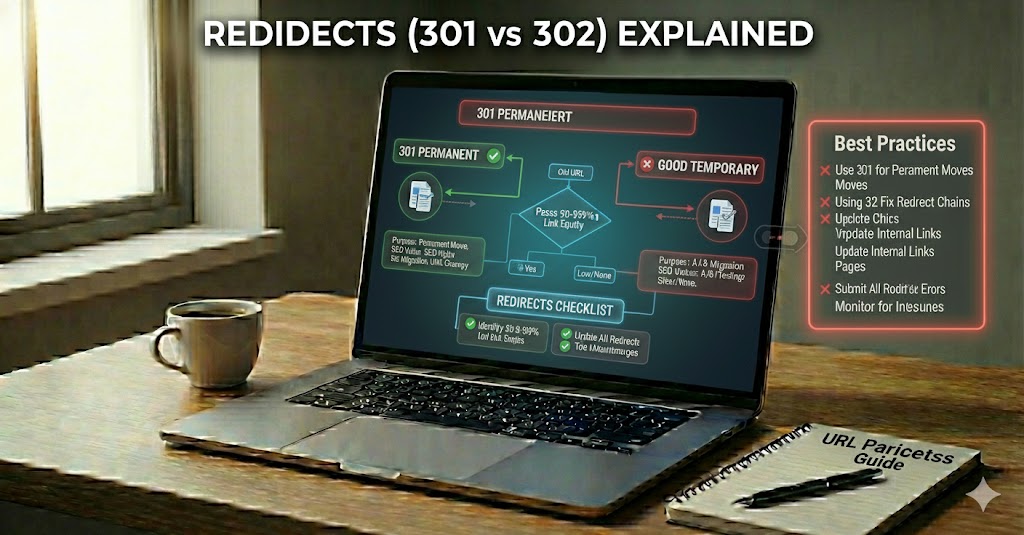
When you click a link and land on a different page than you expected, you have likely gone through a redirect. A redirect is a simple way for a website to say, this page has moved, go here instead. It quietly guides both people and search engines from an old web address to a new one, without showing an error.
Redirects are very important because they help keep users and search engines happy. For users, redirects prevent broken pages and confusing dead ends. For search engines, redirects give clear signals about which page is the correct one to show in results. Used correctly, redirects can protect your rankings, save your SEO value, and keep your site easy to use.
In this guide, you will learn the difference between 301 redirects and 302 redirects, how they affect your site’s visibility, and how to choose the right one in real situations. By the end, you will know how to use redirects in a way that is safe, simple, and good for both your visitors and search engines like Google and Bing.
Redirects (301 vs 302) Explained
Before diving into specific status codes, it helps to understand why redirects exist at all. Websites change constantly, yet old links still need to lead people and crawlers to the right place.
That “invisible hand” guiding visitors to the correct destination is where the idea of 301 vs 302 redirects really matters. Both codes tell browsers and search engines that a page has moved, but they send very different signals. One says, this move is forever, while the other says, this is only for now, keep checking the old address. Understanding that message is key for protecting rankings and keeping tracking data clean.
A 301 redirect is treated as a permanent change of address. Search engines usually move most existing link equity to the new URL and, over time, show it as the main result. This is ideal when you retire old content, merge pages, or move from one URL structure to another for good.
By contrast, a 302 redirect is seen as temporary. Crawlers normally keep the original URL as the “main” one in their index and pass less SEO value forward. It fits short tests, seasonal pages, or maintenance windows where you plan to bring the original page back soon.
What Is a Redirect and Why It Matters for SEO
To understand why 301 and 302 codes are so important, it helps to zoom out and look at redirects in general. Every time a URL changes, something has to tell browsers and bots where the new “home” is.
Imagine changing your home address but still wanting all your mail to arrive safely. On the web, a redirect works like a smart forwarding system, telling browsers and crawlers where the new “home” of a page is.
In technical terms, a redirect is an HTTP response that sends users and search engines from one URL to another. Instead of showing an error, the server replies with a special status code (like 301 or 302) and a new location, so the visitor is moved quietly to the right place.
For SEO, this matters because every page can collect links, trust, and history over time. When you move or rename that page, a proper redirect helps transfer this value, so rankings and traffic are not lost. Without it, search engines may treat the new address as a completely different page.
- Good redirects keep link equity flowing to the correct URL.
- Wrong or missing redirects can cause lost traffic, duplicate content, and crawl waste.
As sites grow, redirects become part of a broader technical SEO toolkit. Used with care, they protect both user experience and the visible presence of your pages in search results.
301 Redirects (Permanent): How They Work and When to Use Them
Once you know what redirects are, the next step is understanding when a move should be treated as final. That is where 301 redirects come in.
Have you ever typed an old URL and ended up on a new page that still felt like the “right” place? That smooth jump is often powered by a 301 redirect, quietly telling the web that the address has changed for good.
A 301 code is like filing a permanent change-of-address with the post office. Instead of letting users hit outdated pages or errors, it forwards them to the new location and asks search engines to treat that new URL as the main version going forward.
Behind the scenes, a 301 response says two important things: the move is permanent, and most of the old page’s SEO strength should now belong to the new one. Search engines gradually transfer link equity, historical signals, and relevance, so rankings can be preserved instead of starting from zero.
This type of redirect works best when a URL is not coming back. Common uses include moving from an old domain to a new one, cleaning up long or confusing URLs, merging thin pages into one stronger resource, or redirecting HTTP to HTTPS. A simple example is sending http://example.com/blog-post to https://example.com/guide once the article has a new, final home.
- Always use 301 when the old address is gone for good.
- Avoid switching between 301 and 302 for the same URL without reason.
302 Redirects (Temporary): Correct Usage and Simple Examples
Not every change is permanent, and some URLs only need to move for a short time. In those situations, a different signal is needed so search engines know the original address will return.
Have you ever seen a page “under maintenance” and then later found the original page back in place? That short-term detour is where a 302 redirect shines, acting like a temporary road sign instead of a new, permanent street.
A 302 tells browsers and search engines that the move is only for a while. The original URL should still be treated as the main version, and most long‑term SEO value should stay with it rather than shifting fully to the stand‑in page.
Use this status code when you are sure the old URL will return. Typical cases include short tests, limited‑time campaigns, or quick fixes while you repair a broken layout or feature.
- A/B testing: Send some users from /product to /product-new with a 302 while you compare performance.
- Seasonal offers: Redirect /sale to a holiday page, then switch back once the event ends.
- Maintenance windows: Temporarily point /account to a status notice while you update systems.
Misusing 302s for changes that are actually permanent can confuse crawlers and delay ranking signals moving to the correct URL, so choose this option only when the “old home” really is coming back.
Redirects (301 vs 302) Explained: Key Differences and SEO Impact
After looking at 301 and 302 redirects separately, it becomes easier to compare how they affect visibility and rankings. The core distinction is the message each one sends about how long a move will last.
Think of two different road signs: one says road closed forever, the other says road closed for today only. Redirect status codes act in a similar way, and search engines read these signals very carefully.
Both 301 and 302 codes move visitors, but they send different messages about ownership and stability. That message controls how much link equity moves, which URL is kept in the index, and how your pages compete in search.
A 301 redirect tells crawlers that the move is permanent, so the target URL should become the main version. Over time, most ranking signals and external links are consolidated on the new address, helping it appear stronger and more relevant.
With a 302 redirect, search engines assume the change is temporary and usually keep the original URL as the primary result. Only limited SEO value is passed on, which is safer for short tests but risky if the change is actually long term.
- Use 301 for final moves where the old page is not returning.
- Use 302 for short‑term changes where the original page will come back.
Common Redirect Mistakes, Chains, and Loops
Knowing how redirects should work is only half the battle; avoiding common pitfalls is just as important. Poor setups can slow pages, confuse crawlers, and waste valuable signals.
Have you ever fixed a URL only to see traffic drop or pages load very slowly afterward? That often happens not because redirects exist, but because they are set up in a wrong or messy way. Learning what to avoid will save time, rankings, and a lot of debugging later.
Instead of adding more and more fixes on top of old ones, it helps to know the most common redirect errors and how they turn into chains and loops. With that in mind, you can keep your site clean, fast, and easy for search engines to understand.
A frequent problem is using the wrong status code. Many beginners put a 302 where a 301 is needed, so link equity is not passed as expected. Others send every old URL to the homepage, which feels like a fix but often looks like a soft 404 to crawlers.
Another trap is creating long redirect chains, like /old → /older → /new. Each extra hop adds delay and makes it harder for bots to understand which page is really the final one. Over time, this can waste crawl budget and hurt user experience.
- Redirecting in multiple steps instead of going straight from the old URL to the final one.
- Forgetting to update internal links, so your own pages still point to outdated addresses.
- Mixing HTTP and HTTPS wrong, causing extra hops between secure and non‑secure versions.
- Stacking rules in .htaccess or server config without testing how they interact.
Even worse than chains are redirect loops, where URL A points to B and B points back to A, or a group of URLs keep redirecting in a circle. Browsers will give up and show an error, and search engines may stop trying to crawl those paths at all.
To keep things healthy, aim for a single, direct redirect from every retired URL to its best new match. Test with simple tools, watch for unexpected hops, and clean up old rules instead of endlessly adding new ones on top.
Redirects (301 vs 302) Explained in Terms of Page Authority and Link Equity
Beyond simple navigation, redirects also control how much strength and trust flows between pages. Thinking in terms of page authority and link equity makes the impact of each choice much clearer.
Have you ever noticed how some pages keep their strong rankings even after their URLs change? Behind that smooth handover sits the idea of page authority and how redirects control the flow of link equity from one address to another.
Instead of thinking only about permanent vs temporary, it helps to see redirects as pipes that move trust, relevance, and popularity signals between pages. How you choose between a 301 and 302 changes how wide that pipe is, and how long it stays open.
A 301 redirect usually transfers the majority of page authority to the new URL. Over time, search engines treat the target as the main version, consolidate external links there, and reduce the old URL’s strength. This is why SEOs rely on 301s when merging content, rebranding domains, or upgrading to HTTPS.
By contrast, a 302 redirect keeps most link equity anchored to the original address, because the move is supposed to be short‑term. Crawlers often continue to see the old page as the “owner” of signals, which protects long‑standing rankings during tests or maintenance but is risky if the change quietly becomes permanent.
- Use 301 when you want authority, links, and history to follow the new URL.
- Use 302 when you want to preserve the original page as the main asset while you redirect traffic elsewhere for a while.
In practice, smart redirect planning can rescue or waste years of earned trust. One clean 301 from an old, well‑linked guide to a stronger, updated version can lift rankings, while a mistaken 302 in the same spot can leave that new page struggling with weak signals and poor visibility.
Putting Redirects (301 vs 302) to Work Safely and Strategically
By this point, the role of redirects in usability, indexing, and authority should be clear. The final step is tying these ideas together into a simple approach you can apply consistently.
Understanding redirects (301 vs 302) explained gives you control over how visitors and search engines move around your site. A redirect is more than a simple detour; it is a clear signal about which URL is the right, trusted home for your content and where your hard‑earned SEO value should live.
By choosing between permanent 301 redirects and temporary 302 redirects, you decide whether signals like links, history, and relevance should move to a new page or stay anchored to the old one. Used correctly, redirects protect rankings, indexing, and user experience; used carelessly, they create chains, loops, and soft errors that dilute page authority and waste crawl budget.
In the end, the principle is straightforward: keep one clean, direct redirect from each retired URL to its best new match, use 301 when a change is final, and reserve 302 for moves that are truly short‑term. Following this simple pattern helps keep your site fast, understandable, and well‑positioned to grow in search.