
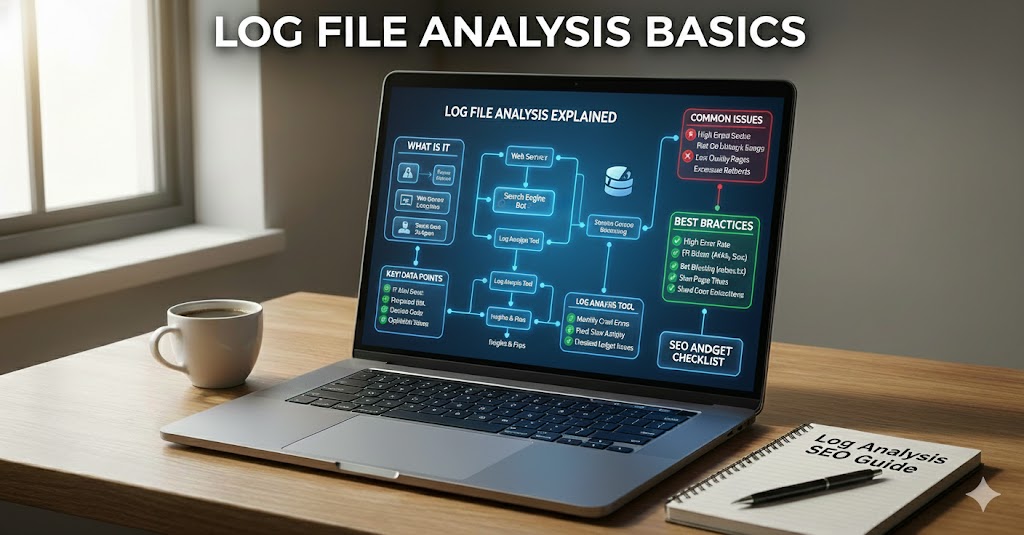
Log files are simple text records that show who visited your website, what they looked at, and how the server responded. Every time a person or a bot, like a search engine crawler, asks your server for a page, image, or file, the server writes a small note about that request into a log file.
For SEO, these notes are very important. They tell you how search engines really see and use your site, not just what tools or reports say. By reading log files, you can check which pages are crawled, how often they are visited, and where errors happen. This helps you understand what is actually happening behind the scenes.
Log file analysis is the process of carefully looking at these records to find patterns, problems, and chances to improve SEO. It shows you if search engine bots are wasting time on the wrong pages, missing your key pages, or hitting too many errors. When you know this, you can fix technical issues, guide crawlers better, and use your crawl budget more wisely, which can support stronger search performance over time.
Log File Analysis Basics
Getting started with log file analysis basics means learning to turn raw server records into clear SEO signals. Instead of treating logs as technical noise, you use them to see how bots really move through your site. With just a few simple skills, those lines of text become actionable insights.
At a basic level, log file analysis means taking these raw lines of text and turning them into organized information you can read and act on. Instead of scanning each line by eye, you usually group and filter the data to answer simple questions like “Which bot came?” and “Which page did it reach?”
In practice, beginners focus on a few key steps: collecting the right log file, filtering for search engine user agents, counting how often each page is requested, and checking the status codes returned. Even this simple workflow can show where bots spend most of their time and where they hit problems.
- Group entries by URL to see your most and least crawled pages.
- Filter by status code to spot 4xx and 5xx errors.
- Compare bot visits to your list of priority pages.
Log File Analysis Basics: Introduction and Key Ideas
Once you are familiar with the basic workflow, it helps to understand the key ideas that sit behind every simple log review. This section links those raw records to the questions that matter most for SEO. By focusing on a few core concepts, you can read patterns without needing complex statistics.
Have you ever adjusted your site and then wondered, “Did search engines even notice?” Log records give you a quiet, honest answer by showing exactly what crawlers did, step by step.
In this part, you connect those raw records with a few core ideas that guide every simple SEO audit. The goal is not to learn complex math, but to read patterns that tell you where bots spend time, where they struggle, and where they never arrive.
At the heart of these basics are three linked questions: who is visiting, what they are requesting, and how the server replies. When you line these up, you can see whether Googlebot or other crawlers match your real content priorities.
- Use user agent filters to isolate trusted search bots from other traffic.
- Sort by requested URL to compare your key pages with low-value ones.
- Group by status code to see where crawl effort is lost to errors or redirects.
Understanding Log Files and How They Work
Before you can interpret what bots do, you need to know what log files actually contain and how they are generated. This foundation turns a wall of text into a structured record you can quickly scan and sort. With that structure in mind, each line becomes a small, clear story about a request.
Imagine pressing “record” on everything that touches your website for a moment: every page view, every image load, every bot visit. A log file is the server’s way of doing exactly that, line by line, all day long. To use these records well for SEO, you first need to understand what they are made of and how they are created.
When a browser or crawler asks for a file, the web server writes a single log entry. Each entry usually contains a timestamp, an IP address, the requested URL, a status code, and the user agent. Different server types, such as Apache or Nginx, follow common patterns called log formats, which decide the exact order and fields stored in each line.
These entries are saved in plain text files that grow quickly on busy sites. For technical SEO, the most useful records are often the access logs, which record successful hits, redirects, and errors that crawlers encounter. Other files, like error logs, can add helpful context when you are tracking down why bots see repeated 4xx or 5xx responses.
- Access logs: show every request the server tried to answer.
- Error logs: focus on failures and server-side problems.
- Custom logs: can track extra fields if your team configures them.
Log File Analysis Basics for SEO Performance
With the building blocks of log files in place, the next step is to connect those records to actual SEO results. This means looking beyond single hits and focusing on how crawl activity supports or holds back performance. Used this way, log file analysis basics become a direct lens on crawl efficiency.
Have you ever felt that search engines walk through your site with a flashlight, but you only see the beam after they leave? Log file analysis basics let you watch that walk in real time, so you can see exactly where that light shines and where it never reaches.
To turn raw records into SEO performance insights, you begin by connecting crawling activity with concrete outcomes, such as indexation and traffic. Instead of only counting hits, you look for patterns over days or weeks: which sections grow in bot visits, which shrink, and where errors cluster. This shift from single entries to trends is what makes logs truly useful for decision‑making.
At a practical level, you can measure how well your site supports crawlers by tracking a few simple ratios. One helpful view is to compare useful responses (status 200 on indexable pages) against wasted responses (long redirect chains, repeated 404 errors, or soft‑error pages). When the wasted part is large, bots spend energy without helping your rankings.
- Raise the share of 200 responses on pages that you want indexed.
- Reduce repeated hits to non‑indexable URLs such as test areas or old filters.
- Shorten or remove redirect chains so crawlers reach a final page faster.
Once these basics are in place, you can go a step further and connect logs with your existing SEO plan. Compare your list of priority URLs to actual crawl frequency, then adjust internal links, sitemaps, or robots.txt rules when important pages receive far fewer visits than low‑value ones. Over time, small changes guided by this data help align crawl behavior with your real business goals, making every visit from a search bot count more.
Key Data Inside Server Log Files
Reading log files effectively means knowing which pieces of data matter most for SEO. Rather than treating every field the same, you focus on the elements that describe visitors, requests, and responses. This makes it easier to filter noise and concentrate on clear signals.
When you open a raw server log for the first time, it may look like a wall of random text. Hidden inside, however, are a few repeating pieces of structured data that make every line readable and useful for SEO decisions.
Each entry is built from fields that describe who made the request, what they asked for, and how the server answered. By learning these fields, you can quickly sort real search bots from fake ones, find weak areas of your site, and measure how efficiently crawlers move through your pages.
Most access logs contain a similar core set of elements:
- Timestamp – the exact date and time of the request, used to spot crawl peaks and gaps.
- IP address – the network address of the visitor, important for verifying genuine bots and blocking harmful traffic.
- Requested URL – the specific page or file, which lets you count most‑crawled and ignored URLs.
- Status code – the server’s reply (such as 200, 301, 404, 503) that reveals errors, redirects, and temporary overload.
- User agent – a short text string naming the browser or bot; this is how you isolate Googlebot‑like crawlers from normal users.
Some setups also log extra details such as the referer (which link led to the request) or response size, giving more context when you investigate slow, heavy pages or suspicious patterns in automated traffic.
How Search Engine Bots Show Up in Log Files
Identifying genuine search engine crawlers is crucial before you conclude from log data. Without this step, fake bots and automated scripts can distort your view of crawl budget and site health. Clear filters and verification keep your analysis reliable.
Have you ever checked a log file and wondered which lines belong to real search bots and which belong to random scripts or tools? Learning to spot the difference is a core part of log file analysis basics, because every decision about crawl budget relies on knowing who is actually visiting.
When a crawler arrives, it leaves two main clues: a user agent string and an IP address. The user agent is short text that claims what the visitor is, while the IP shows where it comes from. For SEO work, both matter, because user agents can be faked, but IP ranges used by major engines can be checked and trusted.
In practice, you start by filtering user agents that contain patterns like “bot” or known crawler names, then refine that list by checking IP addresses against official ranges. This extra step keeps fake bots from polluting your crawl reports and protects the quality of your analysis.
- Use clear user agent filters to collect likely crawler visits.
- Confirm important bots by reverse DNS lookup on IP addresses.
- Separate verified bots from unknown scripts to avoid false signals.
Common SEO Problems Found with Log File Analysis Basics
Once real bots are clearly identified, patterns in your logs start to reveal hidden SEO issues. Many of these problems do not show up clearly in standard tools but become obvious when you see how crawlers actually move. Addressing them early can prevent bigger performance drops later.
Sometimes a site looks healthy in normal SEO tools, yet rankings still stall or fall. When you look inside real server records, hidden technical problems often become visible for the first time.
By reading these patterns in a simple, structured way, you can spot where crawlers waste time, miss key pages, or hit avoidable errors. Below are typical issues that log file analysis basics uncover early, before they cause bigger SEO damage.
One frequent discovery is a large amount of wasted crawl budget. Bots may spend thousands of hits on parameter URLs, filters, calendars, or faceted search pages that you never want indexed. This leaves fewer visits for product pages, articles, or key category hubs that should rank. A basic review of requested URLs, grouped by folder, quickly shows which sections eat most crawler attention for little value.
Once those areas are clear, you can work with simple fixes such as robots.txt rules, noindex tags, and internal link cleanup to guide bots toward richer content. Even small reductions in low‑value crawling can free up many visits for pages that actually matter to your business.
Another common pattern is a cluster of 4xx errors caused by broken internal links or removed pages. Normal analytics may not show these if users rarely click them, but bots still try to crawl old URLs listed in sitemaps or older pages. Over time, this creates long lists of requests that always end in failure and slowly weaken site quality signals.
Log entries with repeated 404 or 410 responses highlight where to add redirects, update links, or fully remove outdated references. Cleaning this trail not only reduces crawl waste; it also makes the remaining site structure easier for Googlebot and other crawlers to understand.
Redirect behavior is another area where simple log checks reveal problems quickly. Large sites often build accidental redirect chains, where a crawler moves through two or three hops before reaching the final page. Each extra step burns crawl budget and can delay or weaken updates to important content.
By grouping log data on URLs that return 301 and 302 status codes, you can see which paths are hit again and again. Shortening these paths into direct, single‑step redirects helps both bots and users reach the correct destination faster and with fewer wasted hits.
Finally, basic checks often show that critical pages are barely crawled at all. Priority categories, new products, or key articles may receive only a few visits from search bots while unimportant pages see hundreds. This mismatch usually points to weak internal linking, missing sitemaps, or over‑strict blocking rules.
When you compare your own list of must‑rank URLs with the log data, gaps become obvious. From there, adding stronger links from high‑authority pages, refreshing XML sitemaps, or relaxing certain blocks can gently push crawlers toward the sections that support your main goals.
Using Log File Insights with Other SEO Tools
Log files become even more powerful when you connect them with your existing SEO tools. Instead of viewing each report in isolation, you use server data to validate and prioritize what other platforms show. This integrated approach keeps your decisions grounded in how crawlers truly behave.
Have you ever fixed an issue in one SEO tool, only to see a different problem appear somewhere else? Log records act like a missing puzzle piece, helping you connect what you see in reports with what crawlers actually do on your site.
Instead of treating each platform as a separate world, you can let log file insights confirm, challenge, or deepen what other data sources show. This combined view makes your basic checks more accurate and helps you decide which tasks truly matter first.
One simple approach is to compare crawl data from logs with impressions and clicks from your main analytics tools. If a page receives many bot hits but almost no visits from people, that may signal content that is easily discovered but not appealing. When the reverse is true – users visit often but crawlers come rarely – you may have a crawl coverage gap that needs better internal links or sitemap support.
You can also line up index coverage reports with raw server entries. Pages marked as “indexed but low traffic” might show very few recent bot visits in the logs, hinting that updates are slow to be picked up. In contrast, URLs that appear in errors reports again and again can be checked in your records to see if bots still hit them daily, proving that cleanup work is not yet finished.
To keep this combined workflow simple, many teams create small, repeatable checks:
- Match your list of priority URLs to log entries and see which pages have thin crawl history.
- Cross‑check 4xx and 5xx errors in reports against real hit counts to rank fixes by actual bot impact.
- Review sections with high organic traffic but low crawl activity to spot missed chances for faster updates.
Over time, this habit turns your basic log file analysis into a quiet control system in the background. Other SEO tools may highlight trends or warnings, but your logs give the final, ground‑truth answer about how crawlers behave, helping you choose actions that move both rankings and crawl efficiency in the same direction.
Bringing Log File Analysis Basics Into Your SEO Routine
Integrating log file analysis basics into your regular workflow does not require complex setups. It simply means checking real crawl behavior alongside your usual reports and using that view to guide your next technical moves. Done consistently, this creates a more stable, evidence‑based SEO process.
When you step back and look at all these ideas together, the main message is simple: log file analysis basics turn quiet server records into clear SEO signals. By learning how to read who visited, what they requested, and how your server replied, you gain a direct view into how crawlers truly move through your site.
Instead of guessing, you can see where crawl budget is spent, where it is wasted, and where it is missing. This helps you fix broken paths, shorten redirect chains, protect important pages from being ignored, and make every crawl visit work harder for your rankings.
Used alongside your other SEO tools, log files act as a ground‑truth check that keeps your technical SEO efforts focused on what matters most over time and supports more reliable, long‑term search performance.