
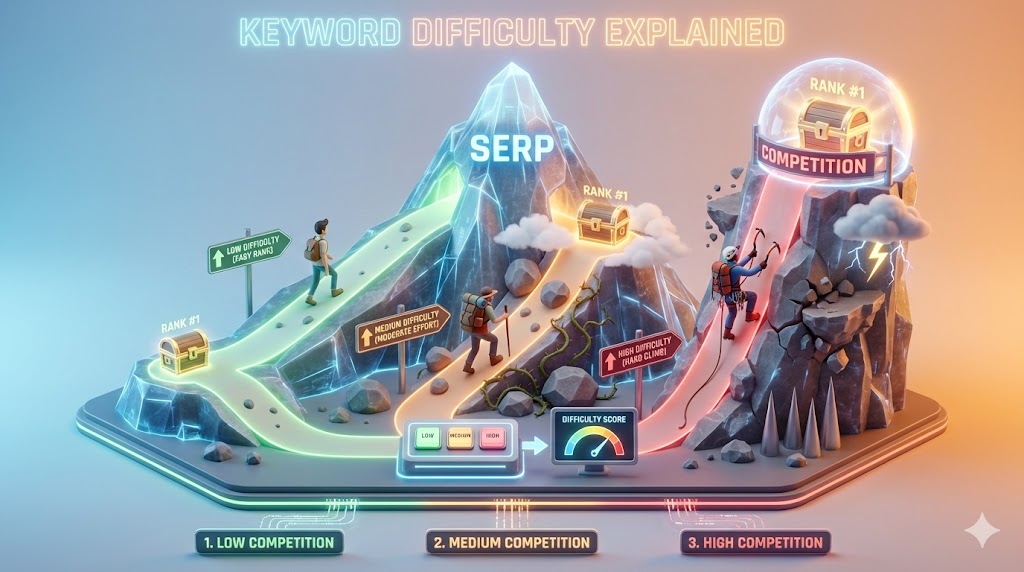
Keyword difficulty is an estimate of how challenging it may be to rank for a search query. SEO tools calculate it in different ways, often using backlink and ranking data. It is useful for comparing opportunities, but it is not a Google metric and cannot predict rankings with certainty.
What does keyword difficulty mean?
Most tools show a score or label such as easy, medium or hard. The calculation differs by provider. One tool may focus heavily on links to ranking pages, while another may use a different set of signals. Therefore, difficulty scores from different tools are not directly comparable.
Is keyword difficulty a Google ranking factor?
No. Google does not publish a keyword difficulty score. Third-party difficulty metrics are research estimates, not signals used by Google’s ranking systems. Treat them as screening aids rather than facts about Google’s algorithm.
What affects how difficult a keyword is?
- Strength and relevance of pages currently ranking.
- Quality, depth and usefulness of competing content.
- Search intent and the type of page users expect.
- Relevant links and reputation of competing websites.
- Freshness requirements for queries where information changes.
- Your own site’s topical coverage, reputation and technical accessibility.
How to evaluate competition manually
- Search the exact query in the target country and language.
- Identify the dominant page types: guides, product pages, category pages or local results.
- Open the top results and assess whether they answer the query well.
- Look for weak, outdated or incomplete coverage—but do not assume a small site is easy to beat.
- Check whether your site has relevant experience and resources to create a better result.
- Review link profiles and referring domains as context, not as the only decision factor.
- Estimate the business value and effort required.
How to use difficulty with other metrics
Consider difficulty alongside search intent, estimated demand, business relevance, conversion potential, current rankings and content effort. A high-volume query may be valuable but unrealistic now. A low-difficulty query may have little business value or almost no demand.
Example decision framework
| Opportunity | What to check | Decision |
|---|---|---|
| Low tool difficulty, unclear intent | Inspect actual results and user need | Research more before writing |
| Medium difficulty, strong relevance | Assess ability to create a better page | Potential priority |
| High difficulty, high business value | Consider authority, resources and long-term value | Build as a longer-term target |
| Low difficulty, no business fit | Check audience and conversion relevance | Usually deprioritize |
Common keyword difficulty mistakes
- Treating a third-party score as a Google metric.
- Choosing only the lowest-scoring terms.
- Ignoring intent and page type.
- Assuming backlinks alone determine rankings.
- Comparing scores from different tools as if they share one scale.
- Promising a ranking position based on a difficulty score.
Keyword difficulty checklist
- Do you know how your tool calculates its score?
- Have you checked the live search results?
- Does your page type match the dominant intent?
- Can you offer a genuinely useful answer?
- Have you considered business value and effort?
- Have you checked your own site’s topical relevance?
FAQs
What is a good keyword difficulty score?
There is no universal good score. Each tool uses its own model, and the right target depends on your site, market, intent and resources.
Can a new website rank for a difficult keyword?
It is possible, but often requires substantial relevance, helpful content and a credible site. Start by evaluating realistic opportunities rather than relying on a score alone.
Does low keyword difficulty mean easy rankings?
No. It is only an estimate. Search results and Google’s systems can change, and the tool may not capture every relevant factor.
Official resources
Key takeaway: Use keyword difficulty to shortlist ideas, then make the decision by studying the real search results, user intent, relevance and your ability to create a better page.