
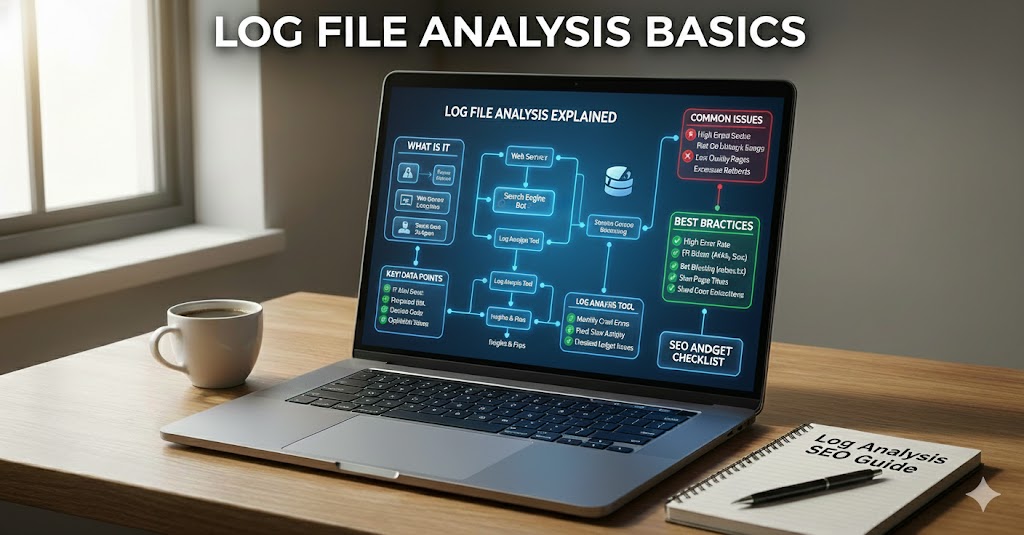
Server log files record requests made to your website. They can show which URL was requested, when it was requested, the response status, and details about the requesting client. For SEO, log file analysis helps you understand how search engine crawlers actually access your site rather than relying only on a crawler’s simulation or Search Console summaries.
What Is Log File Analysis in SEO?
Log file analysis is the process of collecting, filtering, and interpreting server access logs to understand how people, bots, and other services request website resources. SEO teams use it to investigate Googlebot activity, crawl frequency, response codes, redirect paths, and pages that receive little or no crawler attention.
What Information Does an Access Log Contain?
A common access log record may contain the visitor IP address, timestamp, requested method and URL, HTTP status code, response size, referrer, and user-agent string. The exact fields depend on the server and logging format. Logs can contain personal or sensitive data, so restrict access and follow your privacy and retention policies.
203.0.113.10 - - [11/Nov/2026:10:15:22 +0000] "GET /services/seo/ HTTP/1.1" 200 8421 "-" "Googlebot"This example is illustrative. It shows a request for a URL, a timestamp, a 200 response, a response size, and a user-agent value. A user-agent string alone does not prove the request came from Google.
Why Log Analysis Matters for SEO
- See which URLs Googlebot requests and how often.
- Find important pages that are not being crawled as expected.
- Identify 4xx and 5xx responses encountered by crawlers.
- Find redirect chains and repeated requests to low-value URL patterns.
- Understand whether crawl activity changes after a migration or major release.
- Check whether Googlebot is spending time on filters, parameters, or duplicate URLs.
How to Identify Genuine Googlebot Requests
Do not trust the user-agent string alone because it can be spoofed. Google documents verification methods that include reverse DNS lookup followed by forward DNS confirmation, or checking the source IP against Google’s published crawler IP ranges. Use Google’s current documentation and keep verification data up to date.
Step-by-Step Log File Analysis
- Collect the right logs. Obtain access logs from your web server, hosting provider, CDN, or reverse proxy. Confirm which layer records the original client IP and which records bot requests.
- Set a useful date range. Include enough time to compare normal activity with a recent release, migration, or crawl issue.
- Parse the records. Extract timestamps, URLs, status codes, user agents, response times if available, and IP addresses.
- Verify search bots. Confirm genuine Googlebot requests before grouping them as Google traffic.
- Group by URL and status. Find the most frequently requested pages, error URLs, redirects, and parameter patterns.
- Compare with your important URL list. Use your sitemap, analytics, and site crawl to identify high-value pages that receive little crawl activity.
- Fix the causes. Correct broken internal links, redirect loops, server errors, and crawl traps. Do not block URLs without understanding the indexing consequences.
- Repeat the analysis. Compare logs after changes to see whether the request patterns and error rates improve.
Useful SEO Log Metrics
| Metric | What it tells you |
|---|---|
| Verified Googlebot requests | How often Googlebot requests resources in the chosen period |
| Unique URLs requested | How broadly the crawler explores the site |
| Response code distribution | Whether requests return 2xx, 3xx, 4xx, or 5xx responses |
| Average response time | How quickly the server responds, if timing is logged |
| Parameter URL share | How much crawl activity goes to filtered or tracking URLs |
| Important URL coverage | Whether key pages appear in verified crawler requests |
Common Log Analysis Problems
- Unverified bots: spoofed user agents can distort reports. Verify crawler identity.
- Missing CDN or proxy data: requests may be recorded at more than one layer. Understand the logging path.
- Time zone mismatch: normalise timestamps before comparing reports.
- Incomplete log retention: a short sample may not represent typical crawling.
- Overinterpreting requests: a crawl request does not mean a page was indexed or ranked.
Tools for Log File Analysis
- Screaming Frog Log File Analyser for importing and exploring server logs.
- Elastic Stack for parsing, searching, and visualising larger log datasets.
- Cloudflare analytics and logs where your plan and configuration provide the required request data.
- Google Search Console for Crawl Stats and URL Inspection alongside log data.
SEO Log File Audit Checklist
- Logs cover the correct hostnames, server layers, and date range.
- Googlebot requests are verified, not identified by user agent alone.
- Important URLs are compared against crawl activity.
- 4xx and 5xx responses are grouped and investigated.
- Redirect chains and loops are identified.
- Parameter and duplicate URL patterns are reviewed.
- Response time and availability issues are monitored.
- Access to logs is restricted and retention is appropriate.
Frequently Asked Questions
Can log files show whether Google indexed a page?
No. Logs show that a request reached your server. They do not prove that the page was indexed. Use Search Console URL Inspection and Page indexing reports for indexing information.
How often should I analyse logs?
Large or frequently changing sites may review logs daily or weekly. Smaller sites can analyse them during technical audits, migrations, or when a crawl problem appears.
Do I need log analysis for a small website?
Usually not as a routine task. Start with Search Console, a site crawl, and server monitoring. Use logs when you need evidence about actual bot requests or a specific technical issue.
Final Thoughts
Log file analysis gives SEO teams a view of real requests made to the server. It is especially useful for large websites, complex platforms, and investigations where crawl behaviour is unclear. Verify bots, protect log data, group requests by URL and response, and use the findings to fix real technical problems rather than chasing more crawler visits for their own sake.