
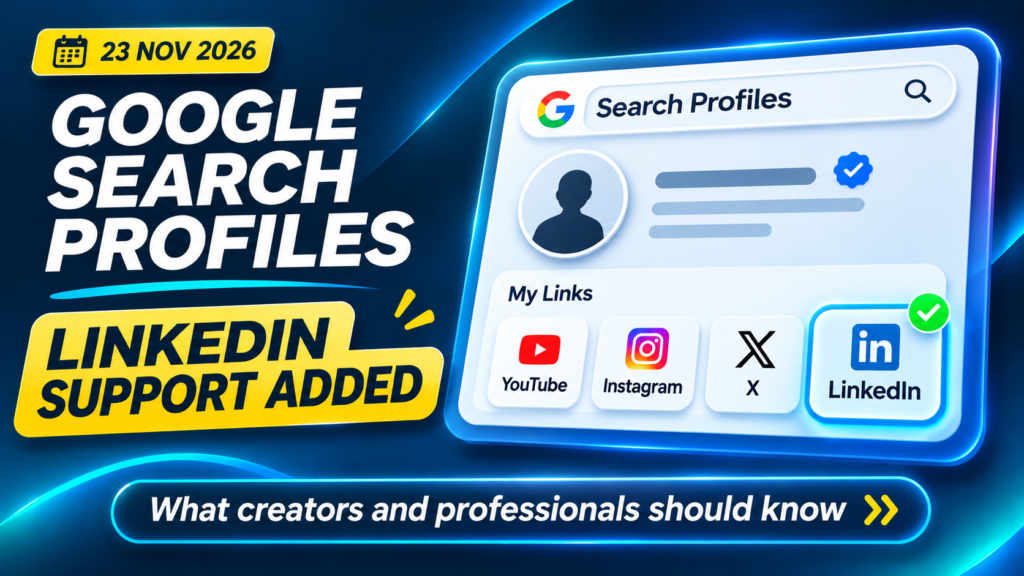
Google Search Profiles now includes a manual option to add LinkedIn, giving eligible creators, publishers and professionals another way to connect their professional identity with their presence on Google Search.
The change was reported on November 23, 2026. Previously, LinkedIn had appeared automatically on some profiles, but users did not have a clear manual option to add it. The updated interface lets profile owners try to add LinkedIn themselves.
This is useful for consultants, founders, creators and publishers who want people to discover their professional work alongside their other online content. However, there is an important distinction: LinkedIn can be added as a profile link, but Google’s published eligibility requirements for creating or claiming a Search Profile still list YouTube, Instagram, X and TikTok—not LinkedIn.
What Are Google Search Profiles?
Google Search Profiles are shareable profile pages that help creators and publishers bring their online content together in one place. They can showcase a person’s or publication’s latest articles, videos, social accounts and other relevant links.
People may discover a Search Profile through Google Search or Google Discover. A claimed profile can also let its owner pin featured posts, add links, suggest changes to their name and bio, and view content performance insights.
Google introduced Search Profiles in June 2026 to help publishers and creators shape their presence in Search and make it easier for audiences to find their work across the web.
What Has Changed? LinkedIn Can Now Be Added Manually
On November 23, 2026, Search Engine Roundtable reported that Google had added LinkedIn to the list of social platforms that users can try to connect from the Search Profile management interface.
Previously, LinkedIn had been spotted appearing automatically on some Search Profiles. The newer option gives owners a way to add it manually, subject to the available interface and Google’s review.
After selecting LinkedIn, the reported flow asks users to complete two additional fields. Availability may vary, and the interface can change as Google rolls the feature out.
It is useful to distinguish the reported interface change from Google’s official eligibility rules. Google’s current Search Profile help pages list YouTube, TikTok, Instagram and X for the minimum audience requirement. They also say users can add other relevant social accounts or content platforms, subject to Google’s review.
Why LinkedIn Support Matters for Personal Branding
LinkedIn is widely used for professional networking, business updates, industry insights and thought leadership. Connecting it to a Search Profile can give visitors another route to discover a person’s professional work.
1. Consultants and freelancers
Consultants can connect their professional identity with their website, published articles and LinkedIn profile. This helps prospective clients find a consistent picture of their services and expertise.
2. Business owners and founders
Founders can make it easier for potential customers, partners and investors to discover their professional presence alongside company and product information.
3. Content creators and publishers
Creators and publishers can bring their videos, articles, social updates and professional profiles closer together, making it easier for audiences to explore more of their work.
4. SEO and digital marketing professionals
SEO professionals can use a Search Profile as another place to connect their website, expertise and professional content. It should support a wider personal-brand strategy, not replace a website or a well-maintained LinkedIn profile.
How to Add LinkedIn to Your Google Search Profile
If you already have a claimed Search Profile, follow these steps to check whether the LinkedIn option is available.
Step 1: Open your Search Profile
Visit Google Search Profile management and sign in with the Google Account associated with your profile.
Step 2: Select the correct profile
If you manage more than one eligible identity or publication, choose the profile you want to update.
Step 3: Open the profile editing area
Find the section for connected content platforms or social links. The wording and layout may vary as Google updates the interface.
Step 4: Look for LinkedIn
If LinkedIn appears as an option, select it and provide the requested profile details. The November 23 report says the interface asks for two additional fields after LinkedIn is selected.
Step 5: Submit and check the status
Google may review changes to social links before they appear publicly. Check the profile again later to see whether the LinkedIn connection has been accepted.
Note: If LinkedIn is not visible in your profile settings, the option may not yet be available to your account. Do not add unrelated URLs or impersonate another person or brand.
Who Can Create or Claim a Google Search Profile?
Google’s published help documentation says a person must be at least 18 years old and have at least 10,000 subscribers or followers on one qualifying platform to create a new Search Profile.
| Platform | Published minimum audience |
|---|---|
| YouTube | 10,000 subscribers |
| 10,000 followers | |
| X | 10,000 followers |
| TikTok | 10,000 followers |
Google’s current help documentation lists Canada, India and the United States as supported countries for claiming a Search Profile.
Important: LinkedIn is not listed among the four platforms that satisfy the published 10,000-follower eligibility threshold. The reported ability to add LinkedIn as a profile link should not be interpreted as LinkedIn followers qualifying someone to create or claim a Search Profile.
Google Search Profiles and SEO: What Is the Opportunity?
Adding LinkedIn to a Search Profile does not guarantee higher Google rankings. Google’s own help page says creating a Search Profile does not directly affect the ranking of your content in Google Search.
It is better to view this feature as an opportunity to make your professional identity and content easier for people to explore.
Keep your identity consistent
Use accurate and consistent information about your name, role, company and expertise across your website and social profiles.
Connect your website and social profiles
Make sure your website links to your official social profiles. When relevant links are available in your Search Profile, connect only accounts that genuinely represent the same person, brand or publication.
Publish useful professional content
Create original articles, videos and professional updates that demonstrate your experience. Your profile should help people discover useful work rather than simply display a list of links.
Build a clear professional presence
Keep your website biography, service pages and LinkedIn profile aligned. A clear online presence helps visitors understand who you are and what you offer.
Monitor your search presence
Search for your name or brand in Google. Check whether the information is accurate and whether people can find your official website and profiles.
Google Search Profile vs. Google Business Profile
| Feature | Search Profile | Business Profile |
|---|---|---|
| Main purpose | Showcase a creator’s or publisher’s online presence | Represent an eligible local business |
| Audience | Creators, publishers and eligible identities | Local customers |
| Content | Social links, articles, videos and featured posts | Business details, reviews, photos and updates |
| Discovery | Google Search and Discover | Google Search and Maps |
| Main use | Personal and publisher identity | Local business visibility |
They serve different purposes and are not replacements for each other. An eligible local agency may benefit from a Google Business Profile, while a creator or publisher may also qualify for a Search Profile.
What Should Creators and Professionals Do Now?
- Check Google’s current Search Profile eligibility requirements.
- Search your name or brand to see whether Google has already generated a profile.
- Claim your profile if you are eligible.
- Check whether the manual LinkedIn option is available in your profile settings.
- Use your official LinkedIn URL and make sure it represents the same identity.
- Keep your website, biography and social accounts accurate and consistent.
- Review how your name and brand appear in Google Search.
For a broader review of your website’s technical and on-page health, see our SEO Audit Services. If your website needs improvements to its structure or content experience, explore our WordPress Website Development service. You can also read our related update on the Google back-button hijacking spam policy FAQs.
Frequently Asked Questions
Can I add LinkedIn to my Google Search Profile?
A LinkedIn option has been reported in the Search Profile management interface. Availability may vary, and Google may review the requested profile connection.
Does LinkedIn qualify me to create a Search Profile with 10,000 followers?
Not according to Google’s currently published eligibility requirements. The listed qualifying platforms are YouTube, Instagram, X and TikTok.
Does adding LinkedIn improve Google rankings?
There is no guarantee that adding LinkedIn will improve rankings. Google says creating a Search Profile does not directly affect the ranking of your content in Search.
Are Google Search Profiles available in India?
Yes. Google’s current help documentation lists India, Canada and the United States as supported countries for claiming a Search Profile.
Where can I manage my Search Profile?
Visit Google Search Profile management and sign in with the Google Account associated with your profile.
Can I add any social account to my profile?
Google says linked accounts should be relevant to the person, brand or identity represented by the profile. Requests for unrelated accounts may be denied.
Final Thoughts
Google’s addition of a manual LinkedIn option to Search Profiles is a useful update for professionals, creators and publishers. It provides another way to connect a professional networking profile with other online content.
However, do not treat this feature as a shortcut to better rankings or as a replacement for a strong website and professional profile. Focus on publishing useful content, maintaining accurate information and building a consistent online identity.
Your goal should be simple: when someone searches for your name, they should be able to find the right person, the right website and the right professional information.
Sources and Further Reading
- Google Search Help: Create a new Search profile
- Google Search Help: Claim an existing Search profile
- Google Search Help: Manage your Search profile
- Google: A new profile to help publishers and creators highlight their work on Search
- Search Engine Roundtable: Google Search Profiles With LinkedIn Support (November 23, 2026)
Last updated: November 24, 2026. LinkedIn’s manual-add option is based on the reported interface update; Google’s official help pages should be checked for the latest availability and eligibility details.