
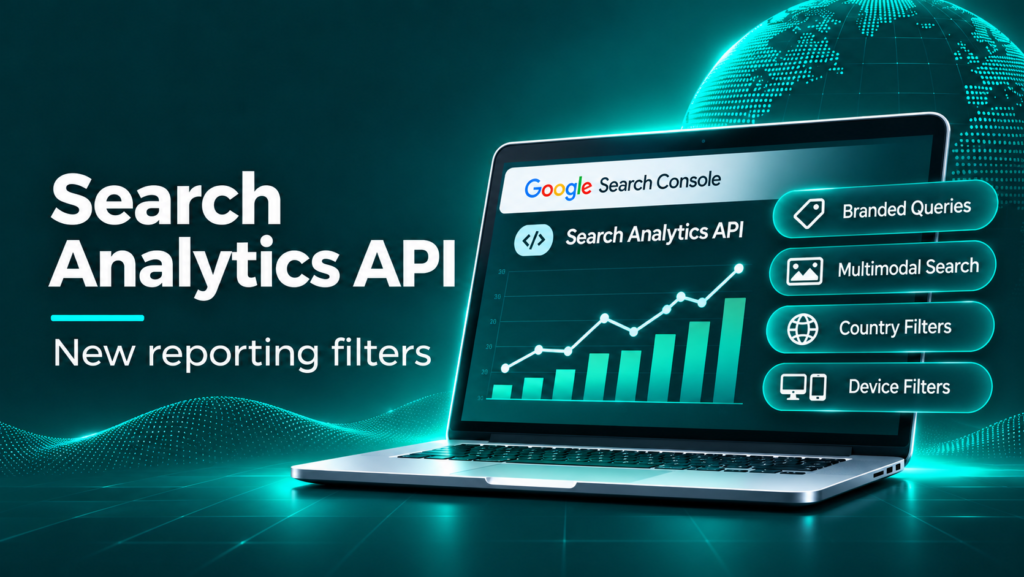
Google has expanded the reporting capabilities of the Search Console Search Analytics API. Announced on 16 November 2026, the update brings three capabilities that were already available in the Search Console interface into the API: branded-query classification, web multimodal search reporting, and multi-country and multi-device filtering.
This matters for SEO professionals, developers, agencies and businesses that build custom dashboards or automate Search Console reporting. Instead of relying only on manual exports or separate requests, teams can now build more detailed reporting workflows using the API.
In this guide, we explain what changed, how the new options work, how to structure API requests, and how to use the data for brand analysis, international SEO and visual search reporting.
What Has Google Changed in the Search Analytics API?
The Search Analytics API lets authorised users retrieve Google Search performance data for a verified Search Console property. The response can include clicks, impressions, click-through rate (CTR) and average position, grouped by dimensions such as date, query, page, country and device.
Google’s 16 November 2026 announcement adds three reporting capabilities to the API:
- Branded queries: Group or filter performance data by Google’s branded and non-branded query classification using
brandedClassification. - Web multimodal search: Request performance data for visual and multimodal search experiences by setting
typetowebMultimodal. - Multiple countries and devices: Use the new
filterListsfield to match several country or device values in a single request.
The important point is that Google is not announcing three new search ranking factors or three new search products. It is making existing Search Console reporting capabilities available to developers through the Search Analytics API.
Why Does This API Update Matter?
Many SEO teams use Search Console manually. They open the Performance report, select a date range, apply filters, export a spreadsheet and prepare a report. This works for a small number of websites, but it becomes time-consuming when an agency manages many properties or needs frequent reporting.
API access makes it possible to build repeatable reporting workflows. For example, an agency could automatically compare branded and non-branded clicks, report performance across several countries, or monitor visual-search traffic alongside standard web search performance.
The update is especially useful for:
- SEO agencies managing multiple Search Console properties.
- International businesses comparing performance across markets.
- Developers building SEO dashboards and reporting tools.
- In-house SEO teams monitoring brand and non-brand growth.
- Publishers and ecommerce websites interested in visual discovery.
1. Branded and Non-Branded Query Reporting Through the API
One of the most useful additions is the ability to work with Google’s branded-query classification in API reporting.
What are branded queries?
Branded queries are searches that include a business or website’s brand name, common variations, misspellings or terms strongly associated with its products and services. For example, a person searching for a company by name is showing a different type of intent from someone searching for a general service such as “SEO agency for ecommerce”.
For analysis, the distinction is useful:
- Branded traffic can indicate existing brand awareness, repeat interest or demand from people who already know the business.
- Non-branded traffic can help show how effectively a website reaches people searching for a category, problem, product or service without naming the brand.
Neither group is automatically better. Branded searches can be valuable for measuring demand and brand strength, while non-branded searches are important for understanding discovery and category-level visibility.
How does the API identify branded queries?
The API uses the brandedClassification dimension. The supported classifications are BRANDED and NON_BRANDED. Google describes the classification as an automated system rather than a simple keyword regular expression. It can consider brand names, variations, misspellings and relevant brand-associated products or services.
Google notes that classification is available only for eligible top-level properties with sufficient query and impression volume. If a property is not eligible, a request using this classification may return no rows. Some classifications may also be imperfect, so treat the data as a useful segmentation signal rather than a perfect manual label for every query.
Example: group performance by branded classification
The following is an illustrative request body. Replace the dates and property URL with your own values:
{
  "startDate": "2026-10-01",
  "endDate": "2026-10-31",
  "dimensions": ["brandedClassification"],
  "type": "web",
  "rowLimit": 1000
}
The response can return separate rows for branded and non-branded performance, with clicks, impressions, CTR and average position for each row.
Example: request only branded traffic
{
  "startDate": "2026-10-01",
  "endDate": "2026-10-31",
  "dimensions": ["date", "page"],
  "type": "web",
  "dimensionFilterGroups": [
    {
      "groupType": "and",
      "filters": [
        {
          "dimension": "brandedClassification",
          "operator": "equals",
          "expression": "BRANDED"
        }
      ]
    }
  ],
  "rowLimit": 25000
}
This example filters the result to branded traffic and groups it by date and page. You can change the expression to NON_BRANDED to analyse non-branded performance.
Important: Google’s documentation says branded classification cannot be combined with a query filter in the same request. Plan separate requests if your workflow needs query-level detail alongside the branded/non-branded comparison.
2. Web Multimodal Search Reporting
The second addition is support for web multimodal search performance through the API.
What does web multimodal mean?
People do not always search by typing words. They may take a picture, select something on their screen or upload an image to find related information. Google groups supported visual search experiences under its web multimodal reporting.
Google’s announcement identifies data from experiences including:
- Google Lens.
- Circle to Search on Android.
- Image uploads in Google Search.
This reporting helps website owners understand performance from these visual and multimodal discovery experiences. It is not a report of every image impression on a website, nor does it mean that all image-search activity is represented by this one type.
How to request web multimodal data
Set the API request’s type field to webMultimodal. For example:
{
  "startDate": "2026-10-01",
  "endDate": "2026-10-31",
  "dimensions": ["date", "page", "country", "device"],
  "type": "webMultimodal",
  "rowLimit": 25000
}
This request asks for multimodal performance grouped by date, page, country and device. The API returns the metrics available for the property and requested range.
How can SEO teams use this data?
Visual discovery data can help teams ask more useful questions about their content:
- Are product pages receiving visibility through visual search?
- Which pages attract multimodal search impressions and clicks?
- Are visual discovery visits coming from mobile or desktop devices?
- Which countries show activity from multimodal search experiences?
- Do pages with useful original images perform differently from pages with generic visuals?
These questions can guide content and image improvements. However, do not assume that a rise or fall in multimodal performance proves that one specific image optimisation caused the change. Compare pages, dates and other factors before drawing conclusions.
BigQuery availability
Google says web multimodal data will also be available in BigQuery for properties with an active Search Console bulk data export. This gives teams using that export another route for including multimodal performance in larger data pipelines. It is not the same as saying that every Search Console property automatically has a BigQuery export enabled.
3. Filter Multiple Countries and Devices in One API Request
The third addition is the filterLists field. It allows an API request to match multiple exact values for a dimension in one filter list.
Previously, reporting workflows that needed several country or device combinations could require multiple requests or more complicated processing after retrieving the data. The new capability can simplify these workflows.
Example: report on India, Australia and the United States
{
  "startDate": "2026-10-01",
  "endDate": "2026-10-31",
  "dimensions": ["country", "device", "page"],
  "type": "web",
  "dimensionFilterGroups": [
    {
      "groupType": "and",
      "filterLists": [
        {
          "dimension": "country",
          "expressions": ["IND", "AUS", "USA"]
        }
      ]
    }
  ],
  "rowLimit": 25000
}
This example requests data for India, Australia and the United States. Country values use three-letter ISO country codes.
Example: filter multiple devices
{
  "startDate": "2026-10-01",
  "endDate": "2026-10-31",
  "dimensions": ["country", "device"],
  "type": "web",
  "dimensionFilterGroups": [
    {
      "groupType": "and",
      "filterLists": [
        {
          "dimension": "device",
          "expressions": ["MOBILE", "DESKTOP"]
        }
      ]
    }
  ],
  "rowLimit": 25000
}
The supported device values include MOBILE, DESKTOP and TABLET. In this example, the request includes mobile and desktop data and excludes tablet data.
Combine country and device filters
You can include more than one filter list in the same filter group. For example, an international SEO dashboard could request mobile and desktop performance for India, Australia and the United States in one API call:
{
  "startDate": "2026-10-01",
  "endDate": "2026-10-31",
  "dimensions": ["country", "device", "page"],
  "type": "web",
  "dimensionFilterGroups": [
    {
      "groupType": "and",
      "filterLists": [
        {
          "dimension": "country",
          "expressions": ["IND", "AUS", "USA"]
        },
        {
          "dimension": "device",
          "expressions": ["MOBILE", "DESKTOP"]
        }
      ]
    }
  ],
  "rowLimit": 25000
}
Because the filter group uses and, a returned row must match the country list and the device list. The dimensions in the response can then help you compare the combinations.
How to Access the Search Analytics API
The API is part of the Google Search Console API. You need access to the relevant Search Console property and an authorised application or script.
- Verify your website: Add and verify the domain or URL-prefix property in Google Search Console.
- Set up a Google Cloud project: Enable the Google Search Console API for the project you will use.
- Configure authorisation: Use OAuth 2.0 with an appropriate Search Console scope. Read-only reporting generally uses
https://www.googleapis.com/auth/webmasters.readonly. - Choose the property: Use the exact property identifier as it appears in Search Console. A domain property uses the
sc-domain:format. - Send a query request: Make a POST request to the Search Analytics query endpoint with a date range, dimensions, type and filters.
- Process the response: Store the returned keys and metrics in your reporting database or dashboard.
The endpoint is:
POST https://www.googleapis.com/webmasters/v3/sites/{siteUrl}/searchAnalytics/queryFor example, the encoded property path for a URL-prefix property will differ from the path used for a domain property. Use the exact property identifier and encode it correctly in the request URL.
How to Build a Practical SEO Reporting Dashboard
The new API options can support a more useful reporting structure. Instead of showing only total clicks and impressions, an SEO dashboard can separate performance into business-relevant views.
Dashboard 1: Brand demand
- Branded clicks and impressions.
- Non-branded clicks and impressions.
- Branded versus non-branded CTR.
- Landing pages receiving each type of traffic.
- Change over time.
This view helps a business understand whether it is attracting people who already know the brand and people discovering it through general searches.
Dashboard 2: International SEO
- Clicks and impressions by country.
- Country and device combinations.
- Top pages by market.
- Branded and non-branded performance by market, where eligible.
- Market-level CTR and average position.
For a company targeting India, Australia and the United States, this can make it easier to compare market performance without manually combining multiple exports.
Dashboard 3: Visual search performance
- Multimodal clicks and impressions over time.
- Pages appearing in multimodal results.
- Countries and devices associated with the data.
- Performance comparison between key page groups.
Use this view to identify pages worth reviewing for image relevance, descriptive context, accessibility and overall content quality.
Dashboard 4: Combined SEO overview
A useful agency dashboard could combine the three new capabilities with standard Search Console metrics:
| Report section | Business question | Example metric |
|---|---|---|
| Organic overview | Is search visibility growing? | Clicks, impressions, CTR, average position |
| Brand demand | Are more people searching for our brand? | Branded and non-branded clicks |
| International SEO | Which markets and devices perform best? | Country and device combinations |
| Visual discovery | Are people finding our pages through visual search? | Web multimodal clicks and impressions |
| Landing pages | Which pages attract search demand? | Page-level clicks and impressions |
Important API Limitations and Things to Remember
The new filters make reporting more flexible, but the Search Analytics API still has limitations. A dashboard should communicate these clearly rather than presenting API output as a complete record of every Google search.
- Not every property qualifies for branded classification: Google limits branded-query data to eligible top-level properties with sufficient query and impression volume.
- Some requests can return no rows: No rows for branded classification may mean the property is not eligible or has no matching data; it does not automatically mean there were no branded searches.
- API results are not guaranteed to contain every row: Google explains that internal limits mean the API returns top rows rather than guaranteeing all data. Design pagination and reporting with this limitation in mind.
- Row limits matter: The documented row limit is up to 25,000 per request, with
startRowavailable for paging through results. - Data is not always final immediately: Search Console data can be delayed or incomplete for recent dates. Use the appropriate data-state setting and identify incomplete periods in dashboards.
- Do not mix search types: Standard web results and web multimodal data represent different search experiences. Label them separately.
- Filter combinations have rules: A dimension cannot be filtered using both
filtersandfilterListsin the same request. Branded classification also cannot be combined with a query filter in the same request.
For accurate reporting, document the date range, property, search type, dimensions, filters and data freshness used for each chart.
What Should SEO Agencies Do After This Update?
Agencies do not need to rebuild every report immediately. A sensible approach is to add the new capabilities to reporting where they answer a real client question.
- Audit current reports: Identify where teams manually separate branded and non-branded queries or combine country and device exports.
- Check property eligibility: Test branded classification on suitable top-level Search Console properties.
- Build a market comparison: Use multi-value country and device filters for clients operating in more than one market.
- Test multimodal data: Request
webMultimodalseparately and confirm whether the property has measurable activity. - Validate API output: Compare a sample of API results with the relevant Search Console reports for the same dates and filters.
- Automate only useful metrics: Schedule reporting after validating the data, and avoid creating dashboards full of metrics that do not support decisions.
- Explain limitations to clients: Make clear that API reports may not include every row and that branded classification is available only for eligible properties.
How This Update Can Help International SEO
For businesses targeting multiple countries, the multi-country filter is especially practical. A team can compare selected markets and devices in one reporting workflow, then identify where content, technical performance or demand differs.
For example, a company targeting India and Australia could review:
- Which service pages receive the most impressions in each country.
- Whether mobile or desktop contributes more clicks in each market.
- Whether branded demand differs between the two countries.
- Which landing pages may need market-specific content or clearer service information.
Remember that the API filter makes the reporting request more convenient; it does not create new country targeting options or change how Google ranks the website.
Frequently Asked Questions
When did Google announce the Search Analytics API update?
Google announced the new reporting capabilities on 16 November 2026 through the Google Search Central blog.
What are the three new Search Analytics API capabilities?
The update adds branded-query classification, web multimodal search reporting through type=webMultimodal, and multi-country and multi-device filtering through filterLists.
Does the branded query filter work for every website?
No. Google says branded-query data is available only for eligible top-level properties with sufficient query and impression volume. Other properties may receive no rows for this classification.
What does web multimodal reporting include?
Google identifies performance data from Google Lens, Circle to Search on Android and image uploads in Google Search.
Can I filter several countries in one API request?
Yes. Use the filterLists field with the country dimension and a list of supported three-letter country codes, such as IND, AUS and USA.
Can I filter multiple devices in one request?
Yes. Use filterLists with the device dimension and values such as MOBILE, DESKTOP and TABLET.
Does this update change Google rankings?
No. It changes the reporting and data-access capabilities of the Search Analytics API. It does not introduce a new ranking factor or directly change search rankings.
Can web multimodal data be exported to BigQuery?
Google says this data will be available in BigQuery for properties with an active Search Console bulk data export.
Conclusion
Google’s Search Analytics API update is valuable because it makes more of Search Console’s reporting capabilities available to developers and automated workflows. Branded-query classification can help teams separate existing brand demand from broader discovery. Web multimodal reporting can reveal performance from visual search experiences. Multi-country and multi-device filters can simplify international reporting.
For SEO agencies and developers, the opportunity is to turn these capabilities into clearer dashboards and more useful client insights. Start with a small test, validate the API response against Search Console, document eligibility and data limitations, and then automate the reports that help teams make better decisions.
The main takeaway is simple: this is a reporting and automation upgrade, not a ranking update. Its value comes from helping SEO teams understand their search performance in more detail and act on that information more efficiently.
Official Sources and Further Reading
- Google Search Central: New filtering and reporting capabilities in the Search Analytics API (16 November 2026)
- Google Search Console API: Search Analytics query reference
- Google Search Central: Introducing the branded queries filter in Search Console
- Google Search Central: Web multimodal Search performance reporting in Search Console
Last updated: 17 November 2026.